Introducing CumuloFibreBot: Celestia Fibre monitoring on Telegram, powered by our open API
Hi everyone!
CumuloFibreBot is our free Telegram bot that makes it easier to monitor Fibre network activity, validator performance, and blob market metrics across both mainnet and Mocha testnet.
The goal is simple: make Fibre operational data more accessible to validators, developers, and the wider Celestia community, while demonstrating what can be built using our public Fibre Network Monitor API.
 Try it: Telegram: Launch @CumuloFibreBot send
 /fibre to get started.
Built on our Fibre Network Monitor API
The bot is powered by Cumulo’s public Fibre Network Monitor API:
https://fibre-api.cumulo.com.es
This is the same data source behind our Fibre monitoring dashboards:
Our monitoring infrastructure probes registered Fibre servers from multiple geographic regions, tracking availability, signing activity, data retention, and blob market metrics.
The Telegram bot makes this information available through short, readable reports without requiring users to navigate dashboards or query API endpoints.
Importantly, the bot does not substitute missing data with estimates. When a metric is unavailable, it displays n/a rather than reporting a misleading zero.
What can you monitor?
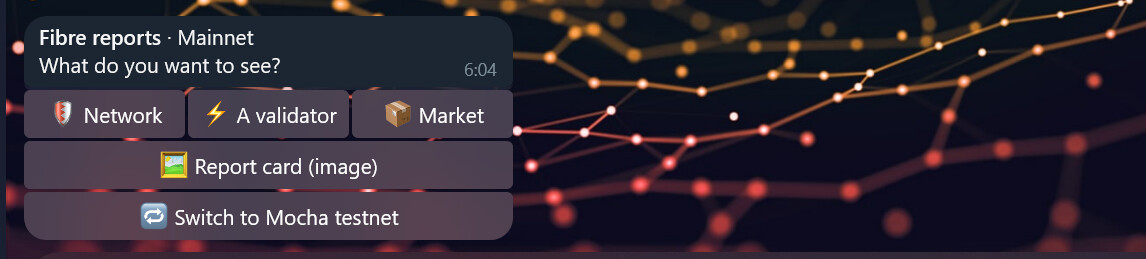
Send /fibre to access three report categories and a shareable report card.
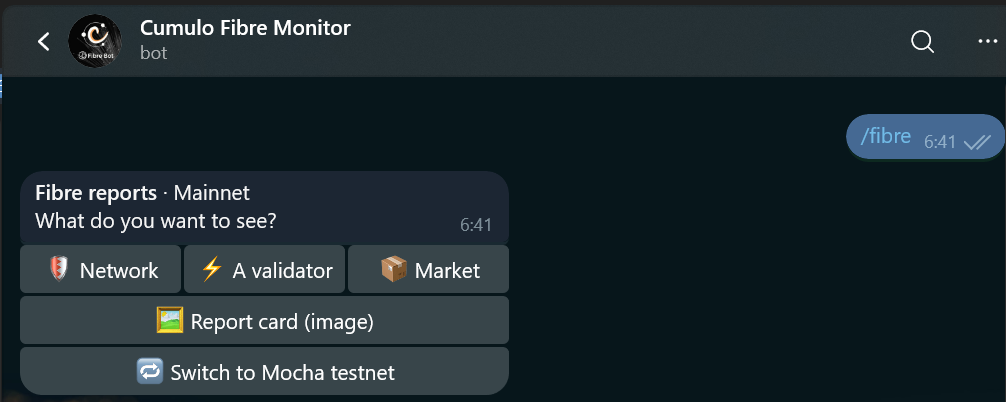
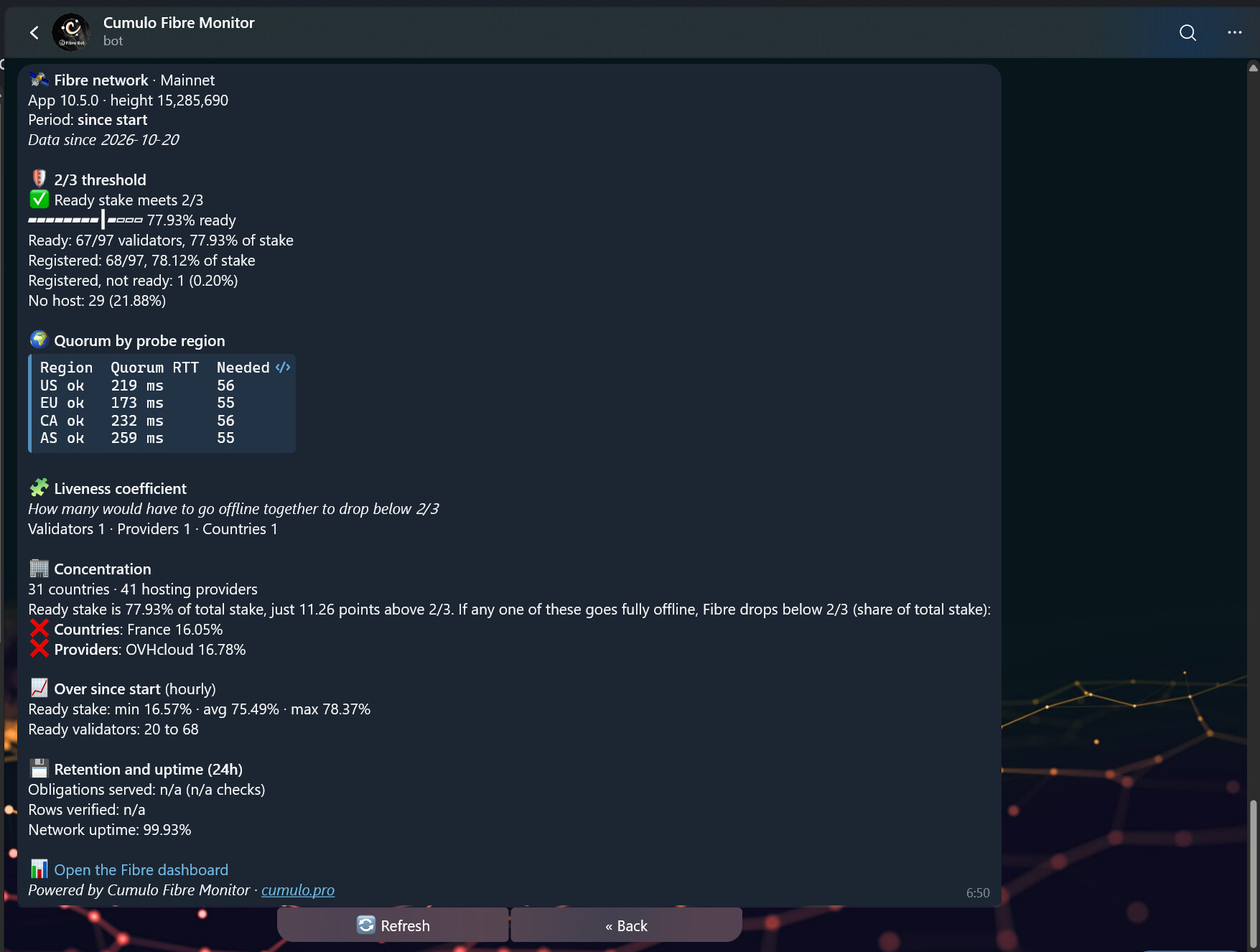
1. Network health and resilience
Monitor Fibre’s overall operational status, including:
-
Settlement readiness: Whether ready stake exceeds the 2/3 threshold, with a visual stake distribution bar.
-
Validator participation: Ready, registered, and hostless validators.
-
Regional performance: Quorum latency measured from US, EU, CA, and AS.
-
Liveness coefficient: How many validators, hosting providers, or countries would need to become unavailable simultaneously to bring ready stake below 2/3.
-
Infrastructure concentration: Whether the failure of a single country or hosting provider could break the 2/3 threshold.
-
Data retention and uptime: Network-wide availability and retention metrics.
These metrics help operators assess not only whether Fibre is functioning, but also how resilient its infrastructure is to potential failures.
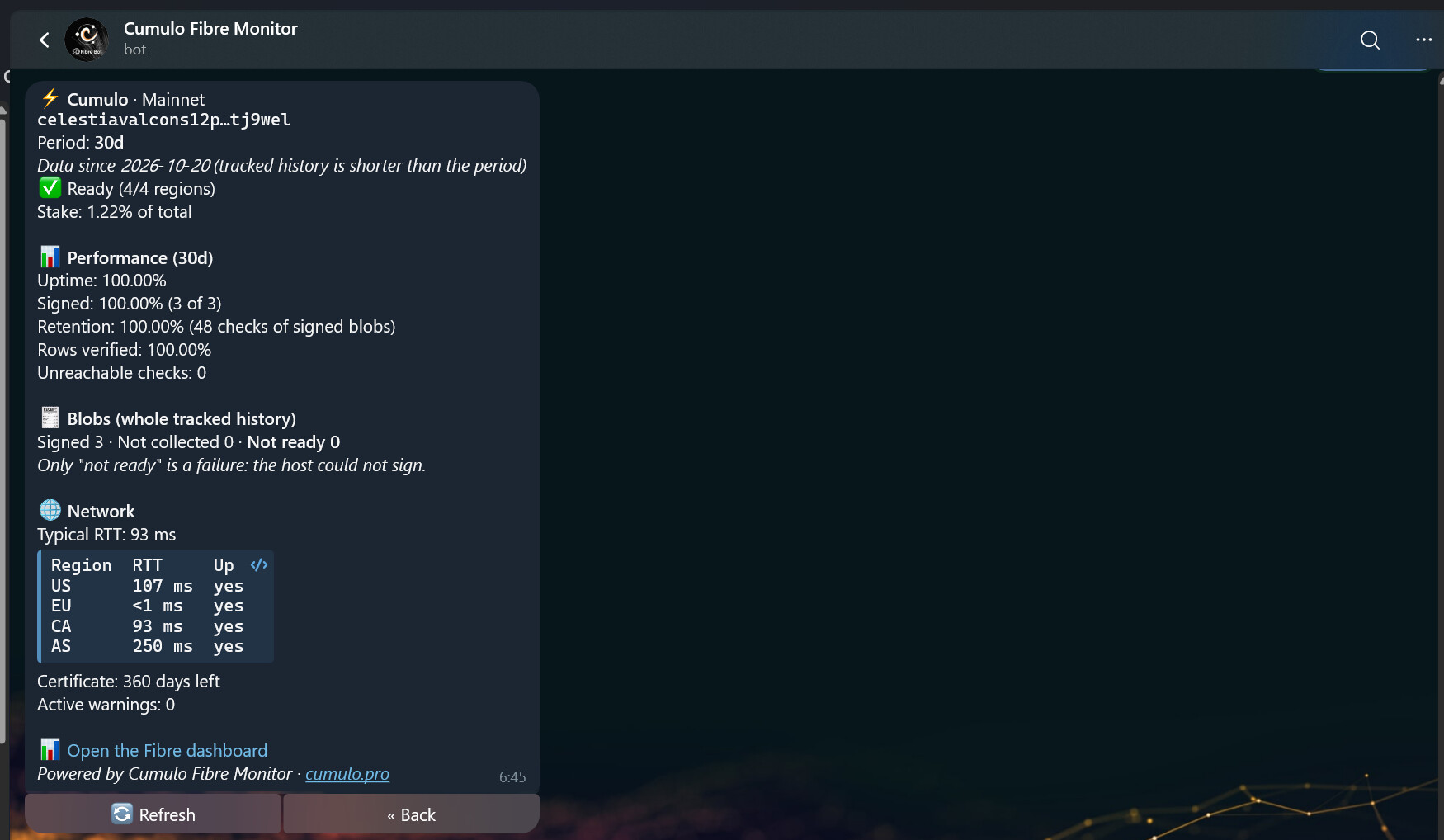
2. Individual validator performance
Search for any validator by moniker or consensus address (valcons) to inspect:
-
Availability across monitoring regions.
-
Stake, uptime, and signed blobs.
-
Retention of signed data and blob outcomes.
-
Round-trip time (RTT) by region.
-
TLS certificate expiration.
-
Active operational warnings.
This gives validators a quick way to check their Fibre server and allows other participants to independently inspect validator performance.
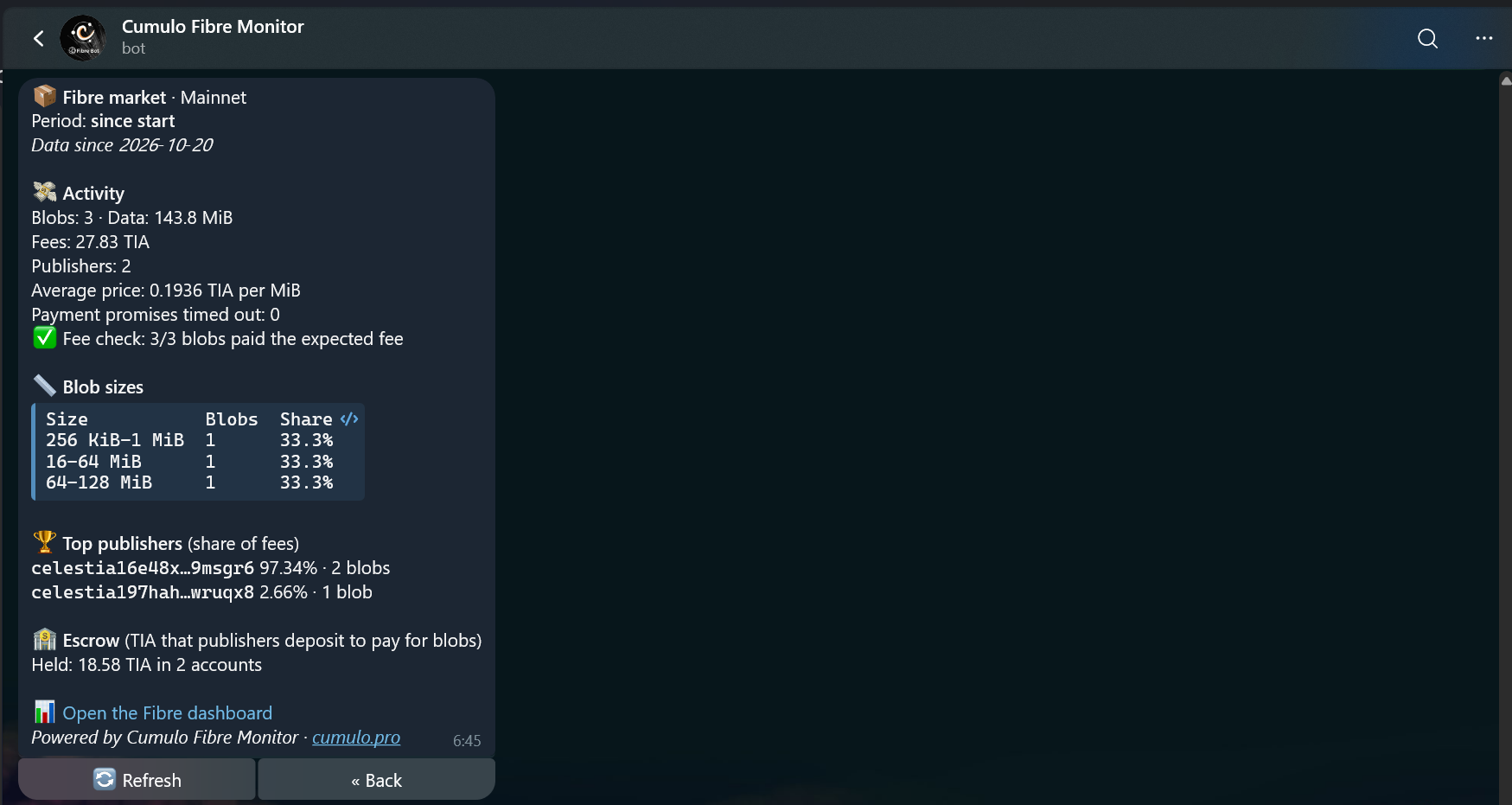
3. Blob market activity
Follow Fibre usage and market activity through:
-
Published blobs and total data volume.
-
Fees and publisher activity.
-
Average price per MiB and fee formula verification.
-
Blob size distribution.
-
Top publishers and escrow balances.
4. Shareable report cards
These cards make it easier to share Fibre metrics in Telegram groups and community discussions.
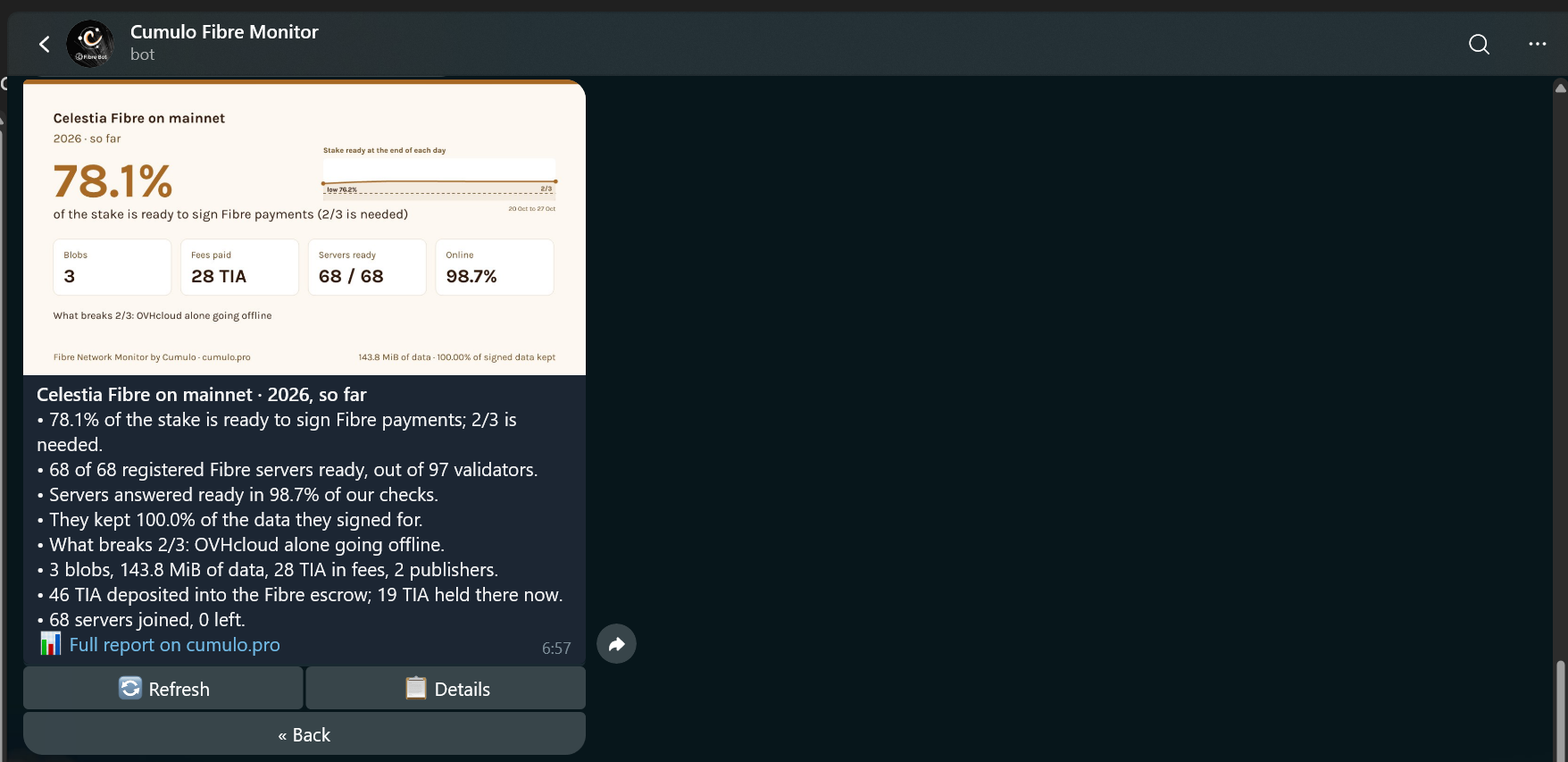
Available reporting periods:
-
Network and market: 24h, 7d, 30d, or all-time.
-
Validators: 24h, 7d, or 30d.
-
Cards: This week, last week, this month, last month, this year, the entire network or an individual validator.
Quick commands and Telegram integration
You can access the main reports through /fibre, or use a few shortcuts:
-
/status cumulo: One-line availability check for a validator. -
/card: Generate last week’s network report card. Add a validator moniker for an individual card. -
/help: Display available commands.
Mainnet and Mocha support
Mainnet is selected by default, but you can switch to Mocha directly from the menu.
Commands also accept an explicit network, for example:
-
/status mocha cumulo -
/card mainnet
Every response identifies the network being monitored.
Inline sharing
You can also share report cards directly in Telegram conversations.
Type @CumuloFibreBot in any supported chat to select a report card.
-
@CumuloFibreBot cumulo: Validator-specific cards. -
@CumuloFibreBot mocha: Mocha network cards.
If a group doesn’t support inline bots, you can generate the card privately and forward it.
Privacy and infrastructure efficiency
We designed the bot to be lightweight and straightforward to operate.
-
No registration or user database.
-
A single background process serves all users, preventing API traffic from scaling with the number of bot users.
-
API rate limits are respected.
-
Reports indicate when the underlying data is more than 10 minutes old.
Open source: build your own Fibre monitoring tools
Beyond providing a convenient Telegram interface, one of our main goals is to demonstrate what developers can build using the Fibre Network Monitor API.
The bot is fully open source under the MIT license:
GitHub repository:
The underlying API is publicly accessible, free to use, and requires no API key.
We’ve also included a short developer guide in the bot’s README covering:
-
Which API endpoints to use.
-
Rate limits and recommended usage.
-
How to handle networks where Fibre is not yet active.
-
How to build your own bot, dashboard, or alerting system using the same data.
Full API documentation:
Feel free to fork the repository, reuse components, or build something entirely new.
We’d especially like to see other validators and developers experimenting with this data to create additional monitoring and observability tools for the Celestia ecosystem.
Feedback and contributions
As Fibre adoption grows, having accessible and independently verifiable operational data becomes increasingly valuable.
At Cumulo, we’ll continue developing public monitoring infrastructure and making our operational data available to the community.
If you have suggestions, encounter bugs, or notice metrics that don’t look right, please share them in this thread, open a GitHub issue, or contact us at [email protected].
And if you build something using the API, we’d love to hear about it!